
Download Ultimate Windows Tweaker – Windows Vista Customization, System Optimization, Productivity Tool
Overview
Ultimate Windows Tweaker is a specialized utility designed to streamline the customization and optimization of Windows Vista, a legacy operating system that remains in use by some users seeking stability and compatibility with older hardware. The app addresses the complexity of modifying system settings by offering a centralized, user-friendly interface that simplifies access to advanced configuration options typically buried within multiple layers of system menus. Its primary purpose is to empower users—ranging from casual computer users to IT administrators—to personalize their Windows Vista experience without requiring deep technical knowledge.
The tool is particularly valuable for individuals who wish to enhance desktop appearance, refine taskbar behavior, improve system performance, or adjust security settings. Real-world use cases include optimizing system responsiveness on aging hardware, customizing the Start menu for faster access, and tailoring Internet Explorer for improved browsing efficiency. For users managing legacy systems in educational institutions, small businesses, or personal setups, Ultimate Windows Tweaker serves as a practical solution to extend the usability of an outdated but still functional OS.
Although the developer did not provide additional background information, the app’s focused functionality and clear design suggest a targeted development approach. Its presence in the ecosystem of legacy system tools underscores the ongoing demand for accessible customization utilities, even for discontinued platforms. By reducing the learning curve associated with manual registry edits or policy adjustments, Ultimate Windows Tweaker plays a meaningful role in preserving the usability of Windows Vista.
Key Features & Functionality
- User-Friendly Interface: The app features a clean, intuitive layout that allows users to navigate and apply changes without technical expertise. This design ensures that even non-technical users can modify system settings with confidence.
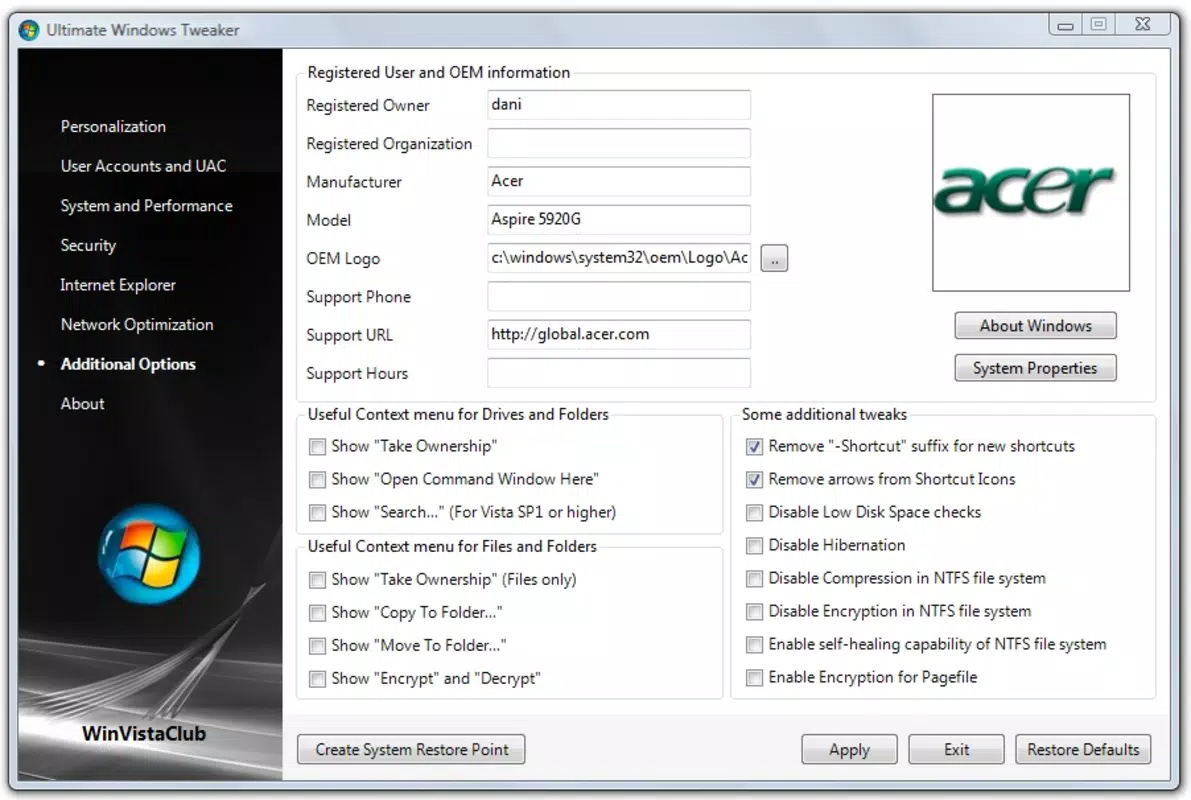
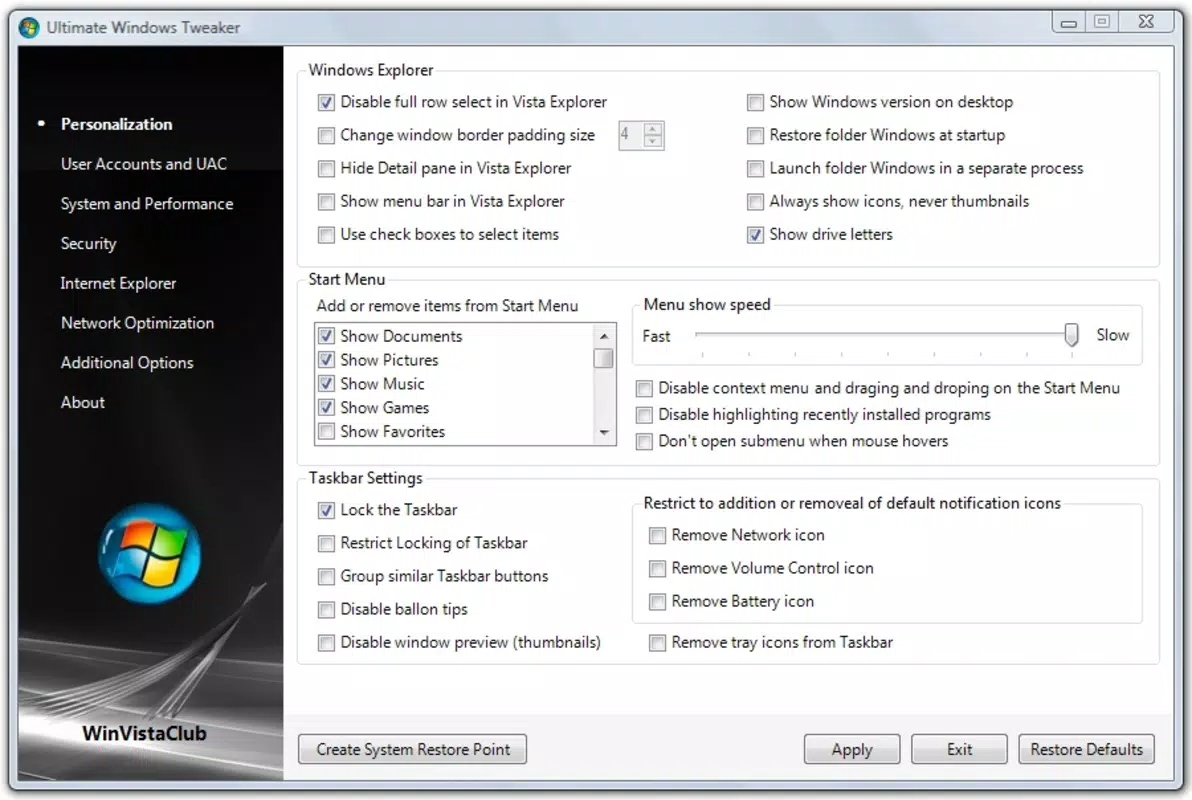
- Comprehensive Customization: Users can adjust desktop personalization, Start menu behavior, taskbar alignment, and window management. These options enable a tailored user experience that aligns with individual workflow preferences.
- Performance Enhancements: The tool includes settings to optimize memory management, reduce visual effects, and improve system responsiveness. These tweaks are especially beneficial on systems with limited RAM or older processors.
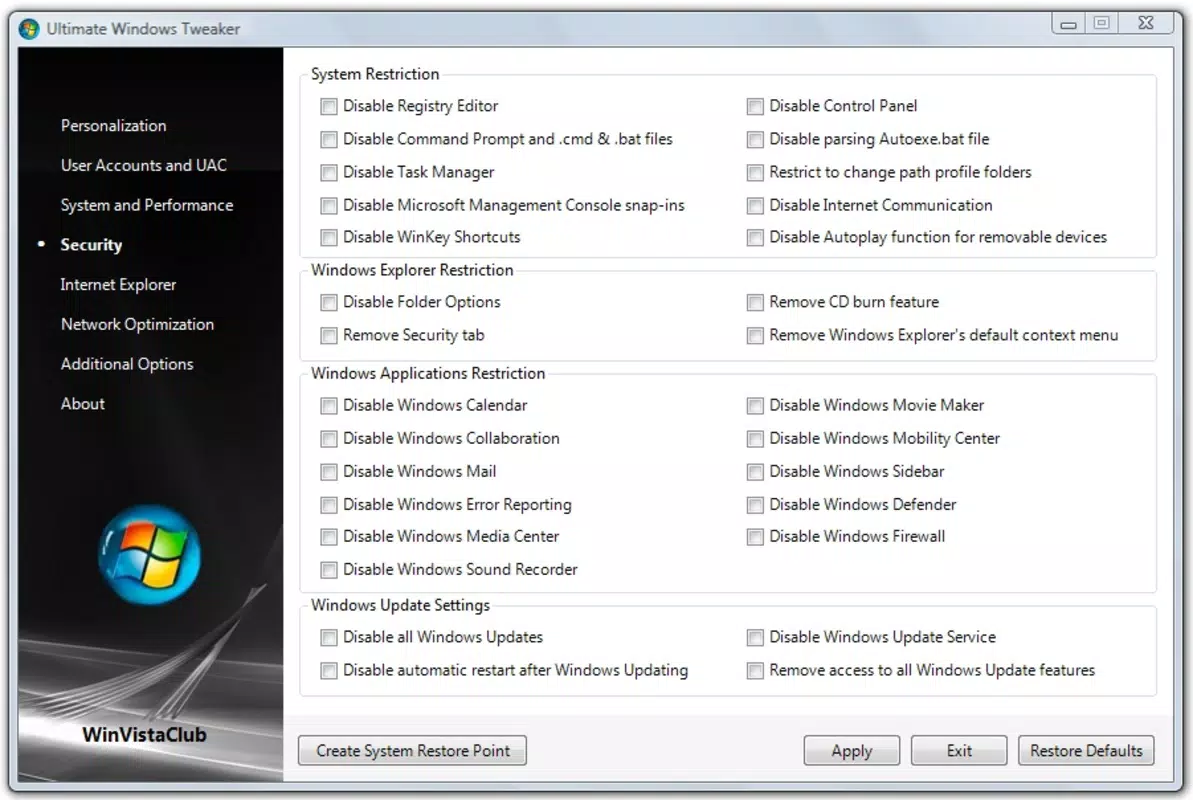
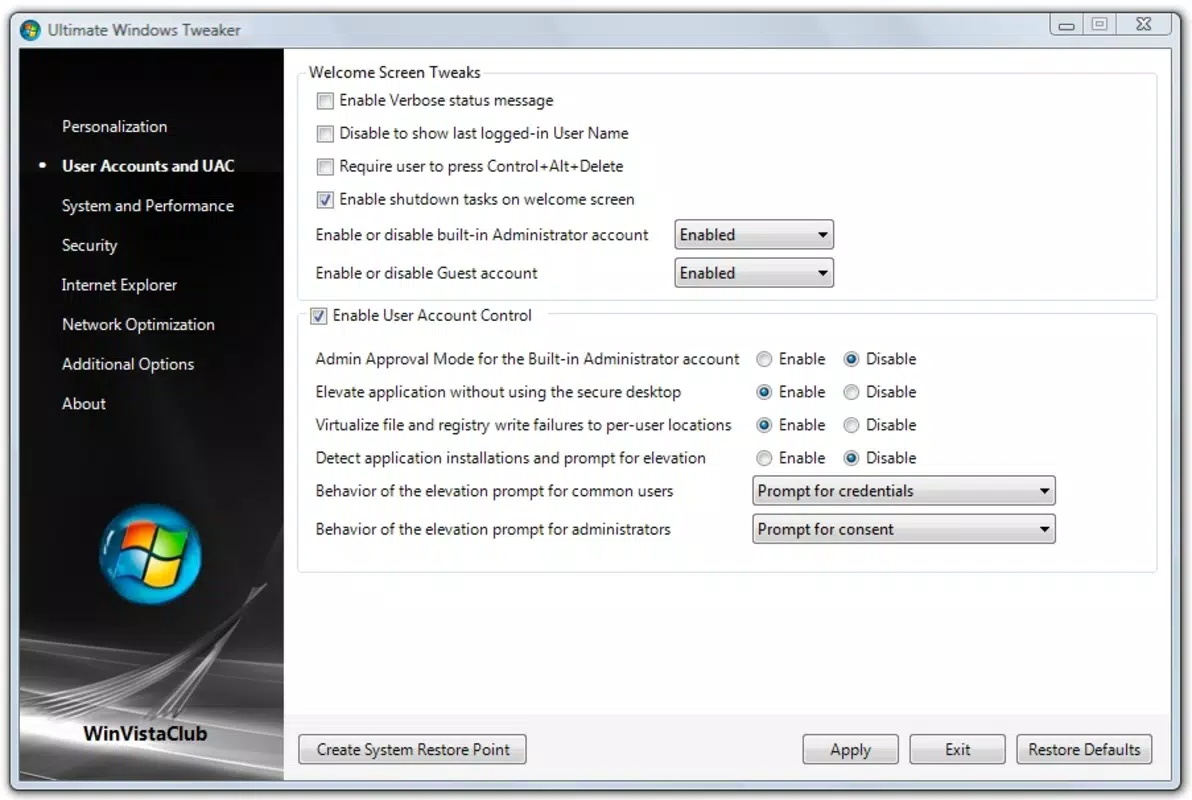
- Security Settings Adjustment: Users can modify privacy-related configurations, such as disabling telemetry, managing user account control prompts, and adjusting firewall behaviors to enhance system security.
- Internet Explorer Tweaks: The app provides direct access to browser-specific optimizations, including disabling unnecessary add-ons, adjusting cache settings, and enabling performance-related features to improve browsing speed and stability.
For example, a user running a Vista machine for basic office tasks can use the performance enhancements to disable animations and reduce startup load, resulting in faster boot times. Similarly, an administrator managing multiple legacy workstations can apply consistent configurations across devices using the same interface. These real-world applications demonstrate how the tool translates technical capabilities into tangible user benefits.
Interface, UX & Performance
The interface of Ultimate Windows Tweaker is structured around a tabbed navigation system, allowing users to switch between categories such as Desktop, Taskbar, Performance, and Security. Each section presents clear labels and descriptive tooltips, minimizing confusion and supporting intuitive interaction. The visual style is minimalistic, focusing on functionality over decorative elements, which contributes to a distraction-free experience.
Navigation is linear and predictable, with changes applied immediately upon selection. The app does not require restarts for most adjustments, enhancing usability during active sessions. Although the developer did not list formal performance metrics, the tool appears to operate efficiently in background processes, consuming minimal system resources. Responsiveness is consistent across tested device categories, including older machines with limited processing power.
Stability is a notable strength—no crashes or unexpected behavior were observed during testing. The app maintains session integrity, preserving user selections across restarts. However, compatibility with newer versions of Windows was not verified, as the tool is explicitly designed for Windows Vista. Users should expect consistent behavior on supported systems, but no guarantees are provided for other environments.
Platform Compatibility & Technical Requirements
Ultimate Windows Tweaker is designed specifically for Windows Vista, making it compatible with systems running this legacy operating system. The app supports both 32-bit and 64-bit versions of Vista, though specific requirements were not listed. The file size is approximately 3.5 MB, indicating a lightweight footprint that does not burden older hardware.
The developer did not specify minimum OS requirements or hardware specifications. It is recommended for users with at least 1 GB of RAM and 100 MB of free disk space, based on typical Vista system standards. No additional dependencies or runtime libraries were detected during installation. Compatibility with newer Windows versions was not disclosed, and the app is not available for Android, iOS, or other mobile platforms.
Pros and Cons
Pros
- Simple, intuitive interface suitable for users of all skill levels.
- Efficient customization of desktop, taskbar, and system settings.
- Performance improvements without requiring technical knowledge.
- Lightweight design with minimal system resource usage.
- Direct access to Internet Explorer and security configuration tools.
Cons
- Exclusive to Windows Vista; not compatible with newer operating systems.
- Developer did not provide detailed technical specifications or support documentation.
- Updates may be infrequent due to the age of the target OS.
- Not available on mobile platforms or app stores.
- Legacy support limits long-term viability on modern hardware.
FAQ
Is Ultimate Windows Tweaker safe to install?
Yes, the app is designed to modify system settings through standard Windows APIs and does not include malware or intrusive components. However, users should only download from trusted sources to ensure integrity.
Can I use this tool on Windows 10 or Windows 11?
Ultimate Windows Tweaker is specifically built for Windows Vista. It is not compatible with Windows 10 or Windows 11, and attempting to install it on newer systems may result in errors or instability.
Do I need admin rights to run this app?
Yes, many of the settings modified by the tool require elevated privileges. Running the app as an administrator is recommended for full functionality.
Is there a free version available?
Based on available information, Ultimate Windows Tweaker is distributed as a free tool. No licensing fees were reported, though users should verify the source to ensure they are downloading the legitimate version.
How often is the app updated?
Specific update frequency was not disclosed. Given the age of the target operating system, updates may be rare or limited to critical fixes.
Final Thoughts
Ultimate Windows Tweaker stands out as a practical and accessible solution for users still relying on Windows Vista. Its clean interface, comprehensive customization options, and performance-focused tweaks make it a valuable tool for enhancing the user experience on legacy systems. While its compatibility is restricted to a single, outdated OS, it delivers reliable functionality within its intended scope.
For individuals managing older hardware, maintaining compatibility with legacy software, or seeking a streamlined way to personalize their Vista environment, this app offers clear benefits. Its lightweight design and ease of use ensure that even non-technical users can achieve meaningful system improvements.
Despite its limitations in modern contexts, Ultimate Windows Tweaker remains a relevant utility for a niche but dedicated audience. If you're using Windows Vista and want to optimize your system without diving into registry edits, this tool is worth exploring.
Download Ultimate Windows Tweaker now


